Hire Inventory Management Software
Track each asset, check what's available for any date, and keep bookings, service history and inventory records together.
In short
HireLogic is hire inventory management software that records individual assets and quantity-tracked products, checks availability against active hires and overlapping bookings, and keeps item details, service history and QR-code access in one system. Hire teams can see what is available, on hire or quarantined before confirming work.
The workflow below shows how equipment is set up and tracked, followed by a field-by-field reference and direct answers to the inventory questions hire businesses ask most often.
How hire inventory tracking works in HireLogic
Set up the right tracking method once, then use the same inventory record from booking through return and servicing.
- 1
Choose how the product is tracked
Track equipment as individual assets with their own codes and history, as quantity-based stock held by depot, or as a bundle made from linked products. The tracking method is chosen when the product is created and is not converted through the normal editing workflow.
- 2
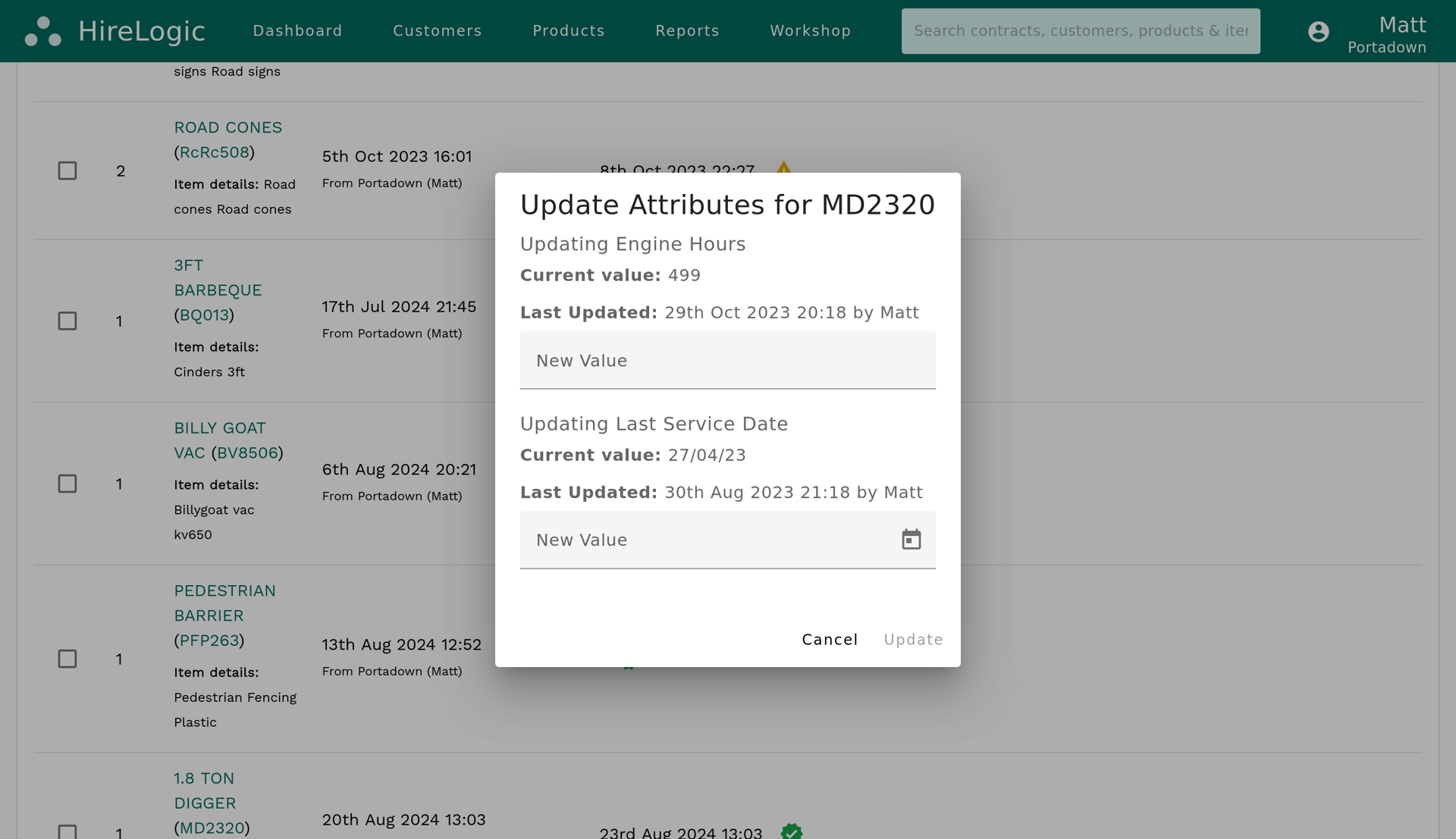
Record the asset or stock quantity
For an individual asset, add its item code, serial number, make and model, purchase date, purchase cost, depot and notes. For quantity-tracked equipment, record the quantity held at each depot. Existing product and asset data can be imported in bulk from a spreadsheet; a straightforward setup can be operational in as little as two working days once usable data is supplied.
- 3
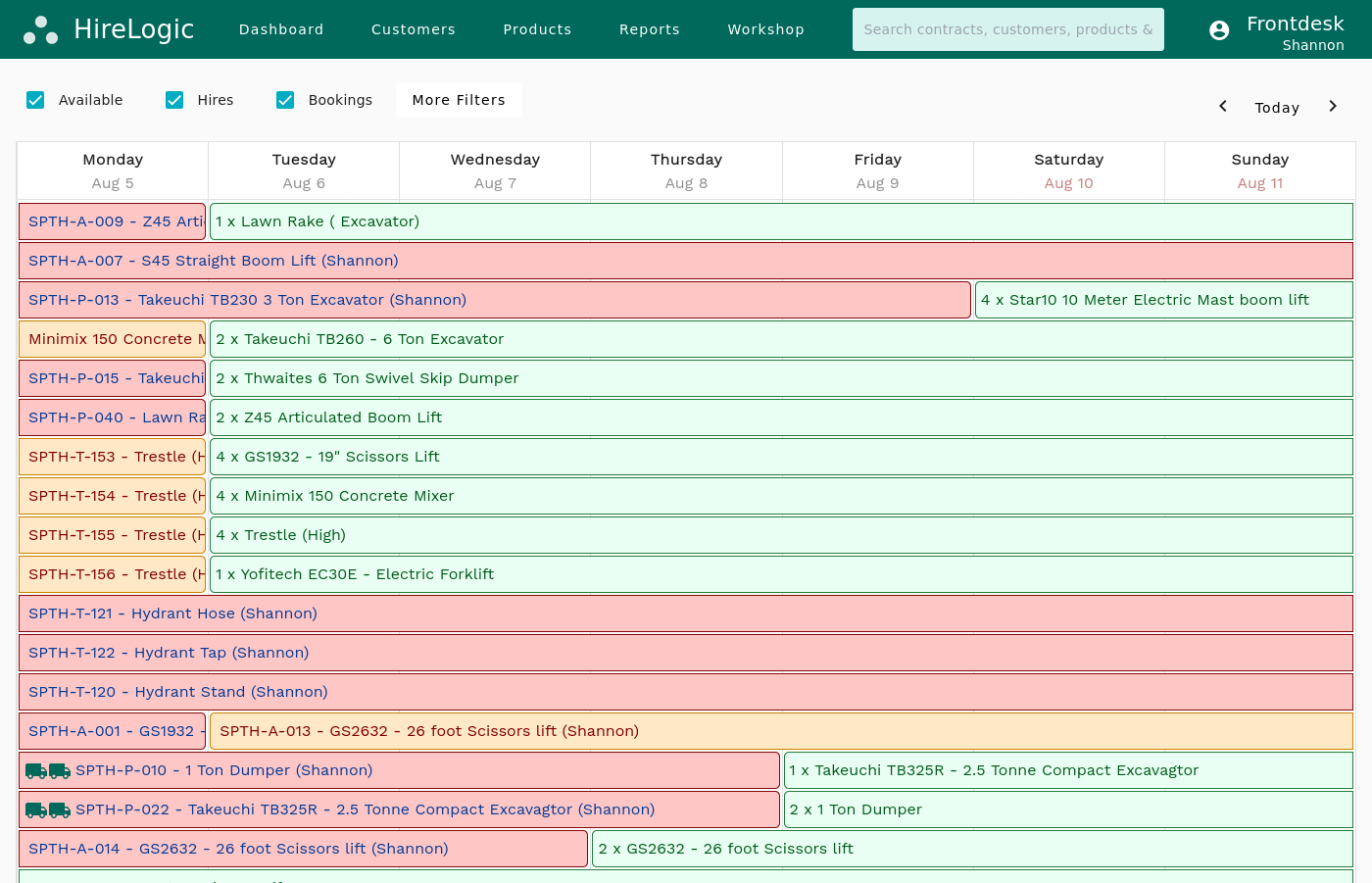
Check availability for the hire dates
Enter the required on-hire and off-hire dates. HireLogic compares the request with active hires and overlapping bookings, then flags a conflict when the quantity requested is greater than the stock available.
- 4
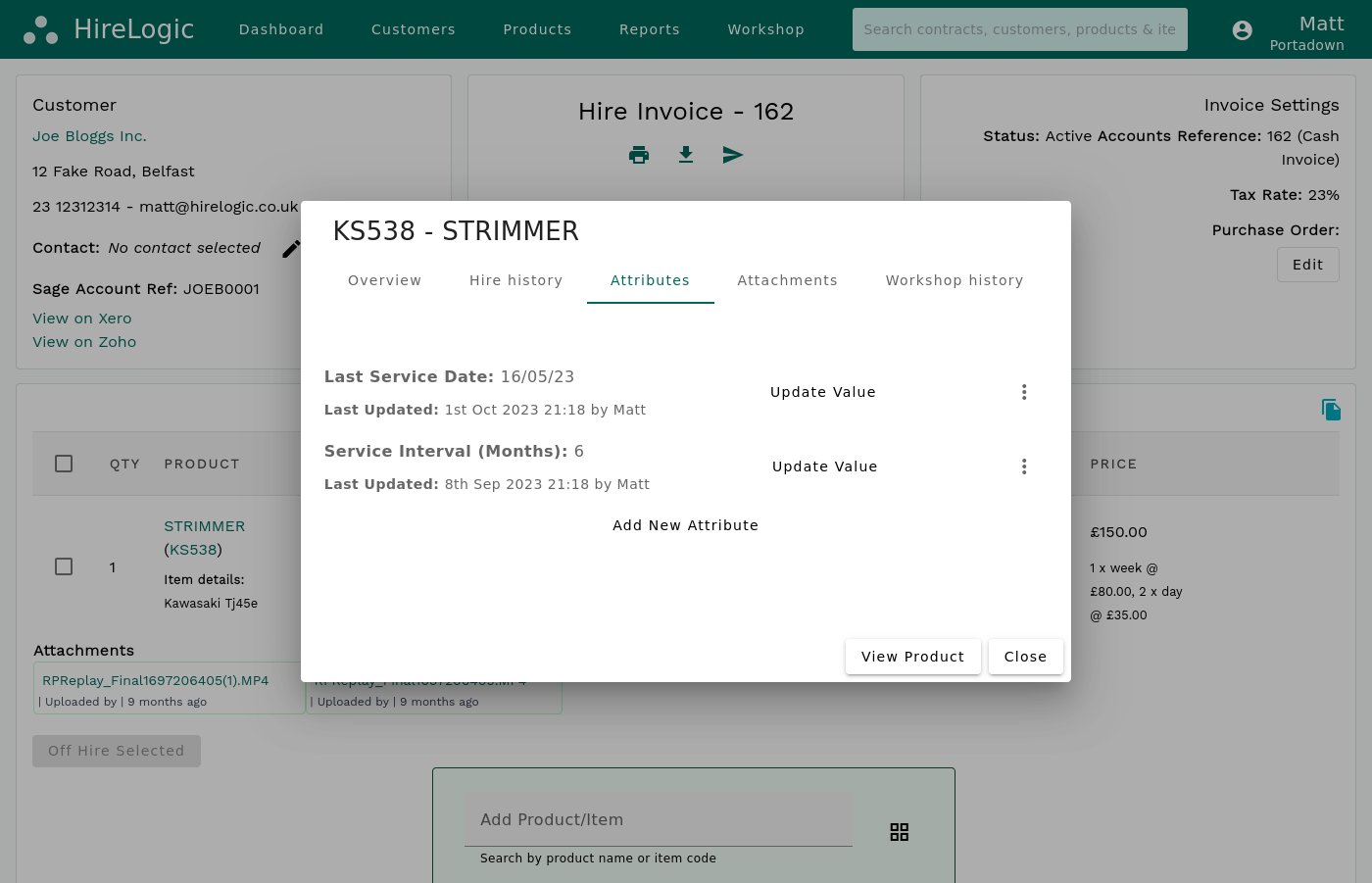
Keep service work against the item
Trigger servicing by date, operating hours or mileage, and keep notes, costs, parts, attachments and compliance documents against the asset. Workshop jobs track booked in, assessed, customer quotation, quote approved, waiting for parts, repair started, completed and cancelled states. An active job prevents the item being added to new bookings without changing existing bookings; completing it restores availability.
- 5
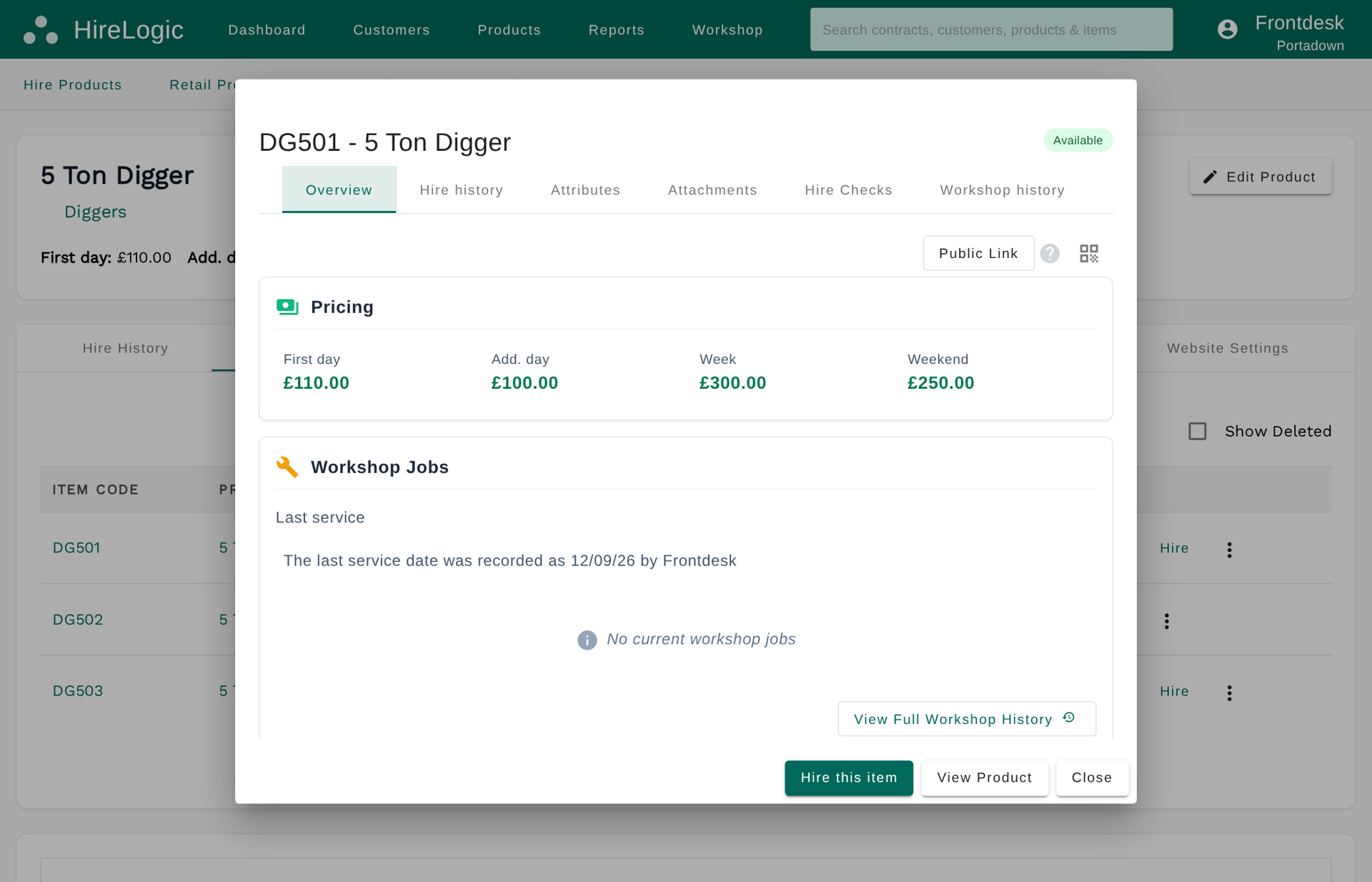
Open the item record from its QR code
Each individual asset has a unique QR code. Scan it or search by item code to open the matching record, and scan items during dispatch on delivery jobs to confirm what is going out.
What HireLogic records for hire inventory
Individual assets keep their own identity and history. Quantity-tracked products hold stock totals by depot without assigning a separate identity to every unit.
Inventory record
Identity
Individual asset
Product, item code and serial number
Quantity-tracked product
Product and stock quantity
Inventory record
Equipment details
Individual asset
Make, model and item notes
Quantity-tracked product
Product description and notes
Inventory record
Location
Individual asset
Assigned depot, with telematics data where configured
Quantity-tracked product
Quantity held at each depot
Inventory record
Availability
Individual asset
Available, on hire, quarantined or in active workshop work, with date conflicts shown
Quantity-tracked product
Stock quantity less overlapping allocations for the requested dates
Inventory record
Hire activity
Individual asset
Current hires, overdue returns, hire history and upcoming bookings
Quantity-tracked product
Booked and on-hire quantities for the product
Inventory record
Service and repair
Individual asset
Triggers by date, hours or mileage; workshop status, due date, notes, parts and costs
Quantity-tracked product
No per-unit history because the units are not individually identified
Inventory record
Attributes and files
Individual asset
Tracked values, notes, attachments and compliance documents
Quantity-tracked product
Product-level information for the stock line
Inventory record
QR access
Individual asset
Unique QR code opens the record and supports delivery-job dispatch
Quantity-tracked product
Search by product or item code
| Inventory record | Individual asset | Quantity-tracked product |
|---|---|---|
| Identity | Product, item code and serial number | Product and stock quantity |
| Equipment details | Make, model and item notes | Product description and notes |
| Location | Assigned depot, with telematics data where configured | Quantity held at each depot |
| Availability | Available, on hire, quarantined or in active workshop work, with date conflicts shown | Stock quantity less overlapping allocations for the requested dates |
| Hire activity | Current hires, overdue returns, hire history and upcoming bookings | Booked and on-hire quantities for the product |
| Service and repair | Triggers by date, hours or mileage; workshop status, due date, notes, parts and costs | No per-unit history because the units are not individually identified |
| Attributes and files | Tracked values, notes, attachments and compliance documents | Product-level information for the stock line |
| QR access | Unique QR code opens the record and supports delivery-job dispatch | Search by product or item code |
Availability is checked for the dates requested. Conflicts alert staff where demand exceeds stock without hard-blocking every over-allocation.
Inventory stays connected to bookings and scheduling
HireLogic is equipment hire software with inventory availability built into the booking workflow.
Inventory management is most useful when it works on the dates your customer actually needs. HireLogic checks each request against active hires and bookings that overlap the same period.
Individual assets, quantity-tracked equipment and linked product bundles use the same conflict workflow. Staff can see where demand exceeds available stock and review the affected booking before confirming it.
The result is one operational record for what you own, what is committed and what needs attention, rather than separate inventory and booking spreadsheets.
Frequently Asked Questions
What is hire inventory management software?
Hire inventory management software records the equipment a hire company owns and connects it to bookings, current hires and maintenance. It shows which individual assets or quantities are available for a requested date range, along with the item details and history staff need to allocate equipment confidently.
How does hire inventory tracking software track equipment?
HireLogic gives each individual asset its own code, serial number, depot, status, hire history, tracked attributes, attachments and QR code. Quantity-based equipment is tracked as stock held at each depot. Depot and operational location are standard; optional telematics can add coordinates, operating hours, mileage, fuel and other machine data where configured.
Can I use HireLogic as a hire inventory tracking system or inventory tracker?
Yes. HireLogic connects each individual asset record to its QR code, depot, current status, hire history and upcoming bookings. Staff can scan an item to open its record and during dispatch on delivery jobs. Quantity-tracked equipment uses stock totals by depot, and optional telematics adds machine-location and usage data where configured.
Can a hire inventory system manage both individual assets and stock quantities?
Yes. Products can be set up as individually tracked assets, quantity-tracked stock, or bundles made from linked products. Individual assets retain their own records and history; quantity-tracked products use stock totals by depot.
How does inventory hire software help prevent double-booking?
HireLogic checks the requested date range against active hires and overlapping bookings. If the requested quantity exceeds the stock available, it marks the booking with a conflict for staff to review. Staff decide how to resolve the warning; HireLogic does not hard-block every over-allocation.
Does hire equipment inventory software track maintenance?
Yes. Servicing can trigger automatically by date, operating hours or mileage. Asset records hold service details, attachments and compliance documents, while workshop jobs track booked in, assessed, customer quotation, quote approved, waiting for parts, repair started, completed and cancelled states, plus due dates, notes, parts and costs. Active workshop work prevents new bookings; completion restores availability.
Is HireLogic cloud-based hire inventory software?
Yes. HireLogic is browser-based and requires no local server installation, so authorised staff can access inventory, bookings and item records from an internet-connected desktop, tablet or phone. The mobile application also supports item lookup and delivery-job workflows.
What is the best equipment hire inventory management system for a hire company?
The best fit depends on how the company identifies equipment, books future dates and handles servicing. HireLogic supports multiple depots and users with no asset limit; fleets containing thousands of assets are fine. A guided demo can test individual-asset, quantity and bundle tracking with your own product list before you decide.
Is HireLogic free hire inventory management software?
HireLogic does not have a permanently free tier, but a self-service free trial is available. We strongly recommend starting with a guided demo so we can test your products and workflow, explain pricing and show what moving your inventory would involve.
Can HireLogic manage hire inventory and retail stock together?
Yes. HireLogic can manage hire equipment and retail products in the same system. The optional paid retail and EPOS module tracks stock by location and records stock adjustments for parts, PPE and consumables sold over the counter or through the connected shopfront.
Test HireLogic with your inventory
Bring a sample of your product list to a guided demo. We'll show how HireLogic would represent your individual assets, quantity-tracked stock, bookings and service workflow, then give you a straight answer on whether it fits.
