Plant Hire Software
Run the plant fleet from one system: each machine's service history and paperwork, bookings checked against what's already on hire, deliveries and collections, and invoices raised from the hire contract.
In short
HireLogic is plant hire software for independent hire companies. Each machine has its own record with depot, service history and compliance documents, and servicing can trigger by date, operating hours or mileage. Bookings are checked against plant already on hire, workshop jobs keep machines off new bookings, and invoices are raised from the hire contract.
Below: one machine followed from the yard to site and back, a reference to the plant hire jobs HireLogic handles, and answers to the questions plant hire companies ask before they switch.
How plant hire runs in HireLogic, from the yard to site and back
Follow one machine through a hire. Every step uses the same machine record, so its bookings, hire history and paperwork stay together.
- 1
Set up the fleet
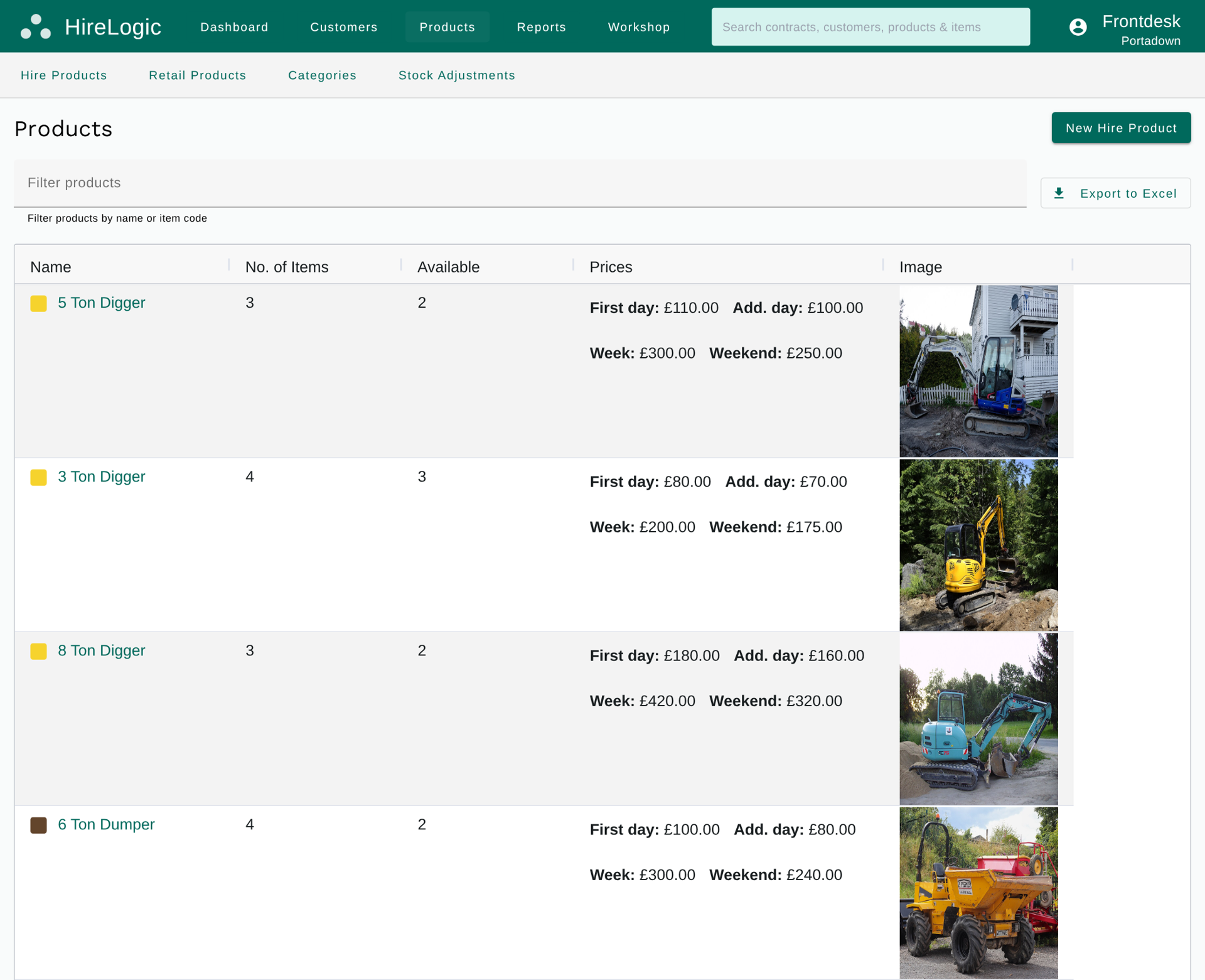
Add each machine as an individual asset with its item code, serial number, make and model, purchase date, purchase cost, depot and notes, or import the fleet in bulk from a spreadsheet. Smaller kit you don't need to identify one by one can be held as quantity-tracked stock at each depot. Every individual machine gets its own QR code.
- 2
Set service intervals and keep the paperwork
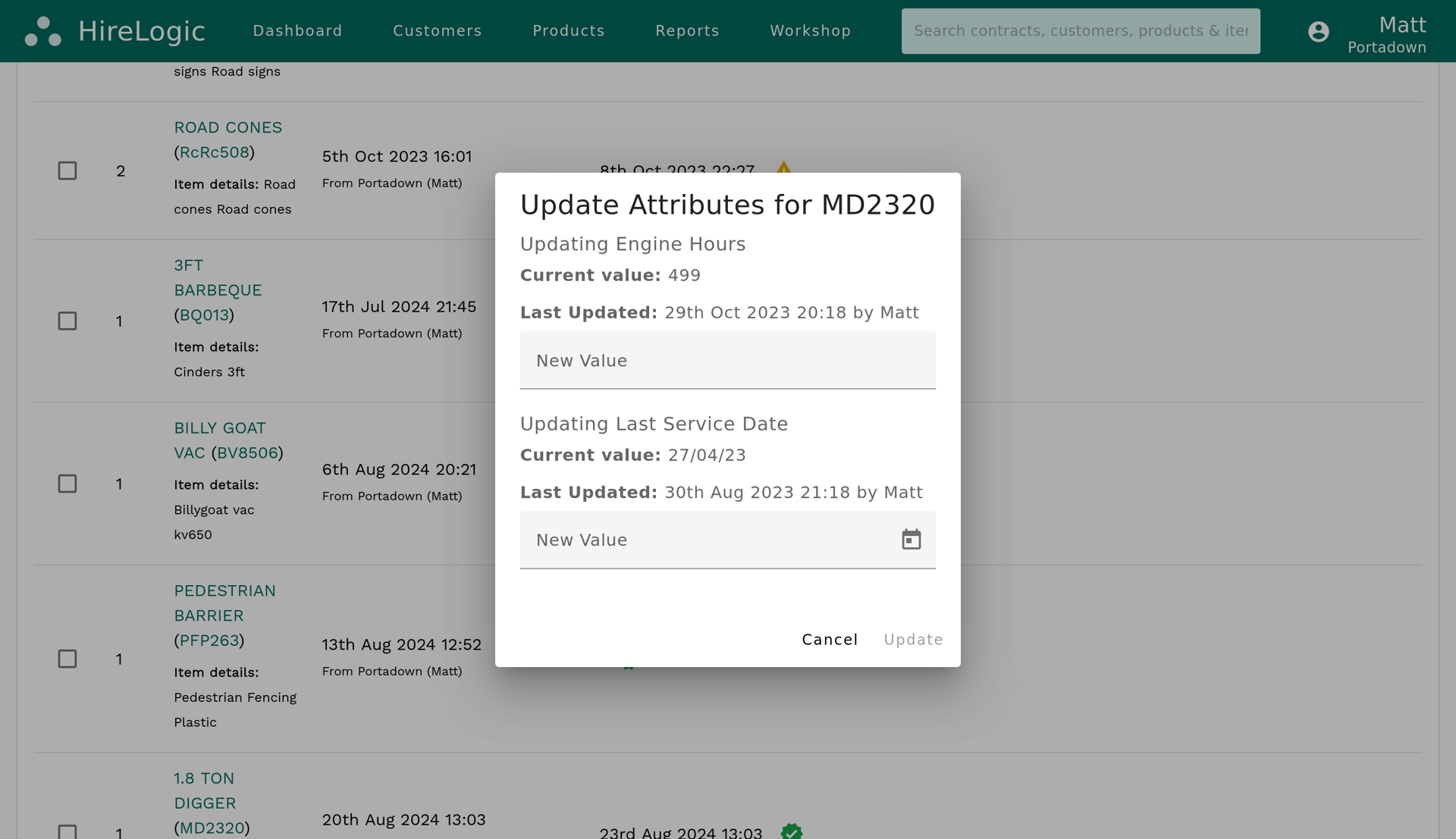
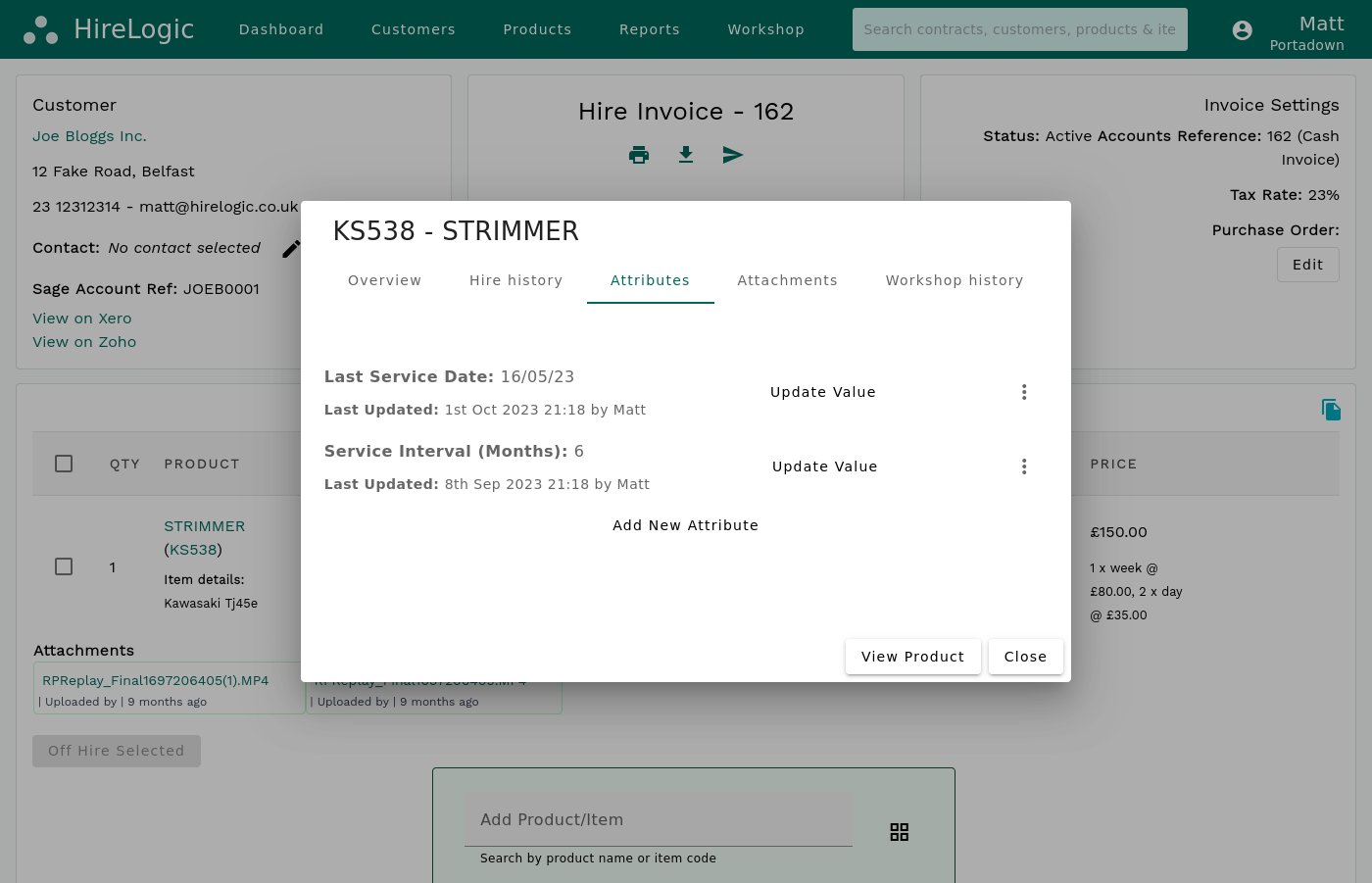
Trigger servicing by date, operating hours or mileage. Keep service notes, costs, parts, attachments and compliance documents, such as LOLER examination reports, on the machine they belong to. Where telematics is configured, it can add operating hours, location, mileage and fuel data to the record.
- 3
Book the machine for the job
Take the booking with the customer, site, hire dates and rates, and reserve a specific machine or a product and quantity. HireLogic checks the dates against plant already on hire and other bookings, and raises an availability warning if the job needs more than you have; someone with the right permission decides whether to go ahead.
- 4
Deliver it to site
Each delivery and collection is a Transport Job with its due date and time, site, items and assigned driver. Scan the machine's QR code during dispatch to confirm exactly what is going out.
- 5
Off-hire it, service it, invoice it
Once the machine is allocated, the confirmed booking becomes a Hire Contract without rekeying. When the machine comes back, off-hire it against the contract. If it needs work, a workshop job tracks it from booked in to completed and keeps it off new bookings until the job is done. Raise the invoice from the Hire Contract and send a Stripe payment link with it.
Plant hire jobs and how HireLogic handles them
The everyday work of a plant hire company, and where it happens in HireLogic.
Plant hire job
Service plant on hours, not just dates
In HireLogic
Service intervals trigger by date, operating hours or mileage
Plant hire job
Keep examination and service paperwork
In HireLogic
Compliance documents, attachments, notes, parts and costs held on the machine record
Plant hire job
Keep a machine off hire while it is repaired
In HireLogic
An active workshop job stops it being added to new bookings; completing the job makes it available again
Plant hire job
Track repairs through the workshop
In HireLogic
Workshop statuses: booked in, assessed, customer quotation, quote approved, waiting for parts, repair started, completed and cancelled
Plant hire job
Know where each machine is based
In HireLogic
An assigned depot on every machine, plus location, operating hours, mileage and fuel data where telematics is configured
Plant hire job
Hold a machine for a future job
In HireLogic
Reserve a specific machine, or a product and quantity, on a booking taken weeks or months ahead
Plant hire job
Catch a double-booked machine
In HireLogic
An availability warning when a booking needs more than you have for those dates
Plant hire job
Check what goes out on the lorry
In HireLogic
Scan each machine's QR code during dispatch on the delivery
Plant hire job
Get paid for the hire
In HireLogic
Invoice from the Hire Contract, send a Stripe payment link, and sync to Sage 50, Xero or QuickBooks
| Plant hire job | In HireLogic |
|---|---|
| Service plant on hours, not just dates | Service intervals trigger by date, operating hours or mileage |
| Keep examination and service paperwork | Compliance documents, attachments, notes, parts and costs held on the machine record |
| Keep a machine off hire while it is repaired | An active workshop job stops it being added to new bookings; completing the job makes it available again |
| Track repairs through the workshop | Workshop statuses: booked in, assessed, customer quotation, quote approved, waiting for parts, repair started, completed and cancelled |
| Know where each machine is based | An assigned depot on every machine, plus location, operating hours, mileage and fuel data where telematics is configured |
| Hold a machine for a future job | Reserve a specific machine, or a product and quantity, on a booking taken weeks or months ahead |
| Catch a double-booked machine | An availability warning when a booking needs more than you have for those dates |
| Check what goes out on the lorry | Scan each machine's QR code during dispatch on the delivery |
| Get paid for the hire | Invoice from the Hire Contract, send a Stripe payment link, and sync to Sage 50, Xero or QuickBooks |
Availability warnings flag conflicts for staff to review rather than hard-blocking every booking.
Built for independent plant hire companies
HireLogic is equipment hire software for plant hire businesses running excavators, dumpers, telehandlers and rollers.
HireLogic is built for independent and growing plant hire businesses. There is no asset limit, it supports multiple depots and users, and fleets of thousands of machines are fine.
When you need help, you'll be talking to the people who build and maintain HireLogic.
Moving from spreadsheets or an older system? A straightforward setup can be live in as little as two working days once usable data is supplied, with training included for your team.
Planning the move? Read how to switch plant hire software.
Frequently Asked Questions
What is plant hire software?
Plant hire software runs a plant hire company's fleet, bookings, deliveries, servicing and invoicing in one system. HireLogic records each machine as an individual asset, checks bookings against plant already on hire, plans deliveries and collections as Transport Jobs, triggers servicing by date, operating hours or mileage, and raises invoices from the hire contract.
Is HireLogic plant hire management software?
Yes. HireLogic manages plant hire from the first booking to the final invoice: machines and depots, availability, deliveries and collections, servicing and workshop jobs, hire contracts, payments and the sync to your accounts package.
Can HireLogic schedule servicing by engine hours?
Yes. Service intervals can trigger by date, operating hours or mileage. Operating hours can be updated on the machine record, or come from telematics where it is configured.
Can I keep LOLER and service records against each machine?
Yes. Each machine record holds its service details, notes, costs, parts, attachments and compliance documents, so examination reports and service paperwork stay with the machine they belong to.
See how HireLogic handles inventory management across the whole fleet.
Does a machine in the workshop come off availability?
Yes. An active workshop job stops the machine being added to new bookings, without changing bookings it already has. Completing the job makes it available again.
Does HireLogic work with plant telematics?
Telematics is optional. Where it is configured, it can add machine location, operating hours, mileage, fuel and other machine data to each asset record. Every machine also has an assigned depot as standard.
Can HireLogic stop the same machine being double-booked?
It warns rather than blocks. Bookings are checked against plant already on hire and other bookings for the same dates, and an availability warning is raised when the job needs more than you have. Someone with the right permission decides whether to go ahead.
Can drivers use HireLogic out on site?
Yes. The HireLogic mobile app covers delivery jobs and item lookup, including scanning a machine's QR code at dispatch. Bookings and the rest of HireLogic run in the browser on a desktop, tablet or phone.
Can plant hire customers pay by payment link?
Yes. HireLogic's built-in Stripe integration sends a payment link with a quote, contract or invoice, and a deposit can be requested on a booking and paid on a HireLogic-hosted page.
See how HireLogic handles invoicing and payments.
Will it work with my accounting software?
Yes. HireLogic integrates with Sage 50, Xero and QuickBooks. Invoices raised in HireLogic post to your accounts package and customer records stay in sync.
Can HireLogic handle a large plant fleet across depots?
Yes. There is no asset limit, and HireLogic supports multiple depots and users; fleets of thousands of machines are fine. Smaller kit you don't need to identify individually can be held as quantity-tracked stock at each depot.
How much does plant hire software cost?
HireLogic's prices are published on the pricing page. There is no permanently free version, but there is a self-service free trial, and we recommend starting with a guided demo so we can check your fleet and workflow.
See your own fleet in HireLogic
Bring part of your plant list to a guided demo: a few machines, their service intervals and a typical week of jobs. We'll show how HireLogic would handle them and give you a straight answer on whether it fits your business.
