Equipment Hire Booking & Scheduling Software
Take bookings weeks or months ahead, check each hire period against your stock, and turn confirmed bookings into hire contracts without rekeying them.
In short
HireLogic is equipment hire booking software. Bookings can be taken weeks or months ahead and are checked against stock for the hire period. When the customer or your team confirms a booking and exact assets are allocated, it becomes a Hire Contract without rekeying. Deliveries and collections run as Transport Jobs with a due date, site and assigned driver.
Below: a booking followed from the first request to off-hire, a quick reference to where the hire desk finds what it needs, and plain answers to the questions hire companies ask about booking systems.
From request to off-hire: how a booking runs at the hire desk
Each step below is something your hire desk already does. In HireLogic the booking you take at the start becomes the Hire Contract the equipment goes out on, so the details travel with the job until it comes back.
- 1
Take the booking, at the desk or from your website
Record the customer, site address, hire dates, rates and notes, then add what they need: products, specific assets, consumables, retail items or a free-text line. Requests from your website arrive through the optional E-commerce Website Module as a Request for the desk to review; an online request doesn't check availability or hold stock.
- 2
Check the hire period against your stock
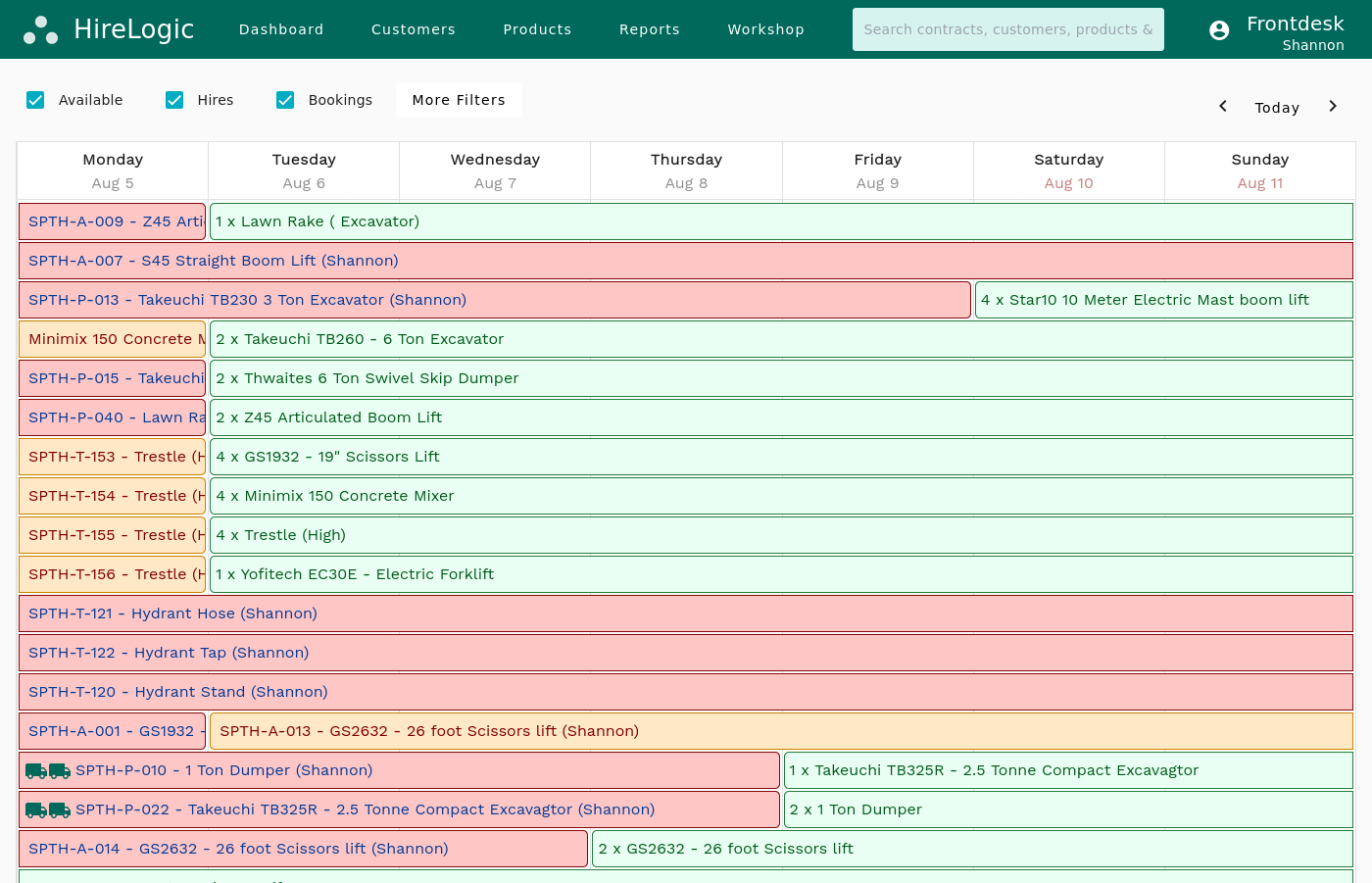
HireLogic compares the hire dates with equipment already on hire and with other bookings for the same dates. If the booking needs more than you have, it raises an availability warning, and someone with the right permission can review it and decide whether to go ahead. Reserve by category, by product and quantity, or as a specific serialised asset; the exact asset can wait until dispatch.
- 3
Quote, take a deposit and confirm
Sending the quotation moves a Request to Awaiting Customer Response. The quote goes by email, with the formal quotation PDF attached if you choose. If you ask for a deposit, the customer pays it through Stripe on a HireLogic-hosted payment page. The booking becomes Confirmed when the customer accepts, pays the requested deposit, or your team confirms it.
- 4
Plan the deliveries and collections
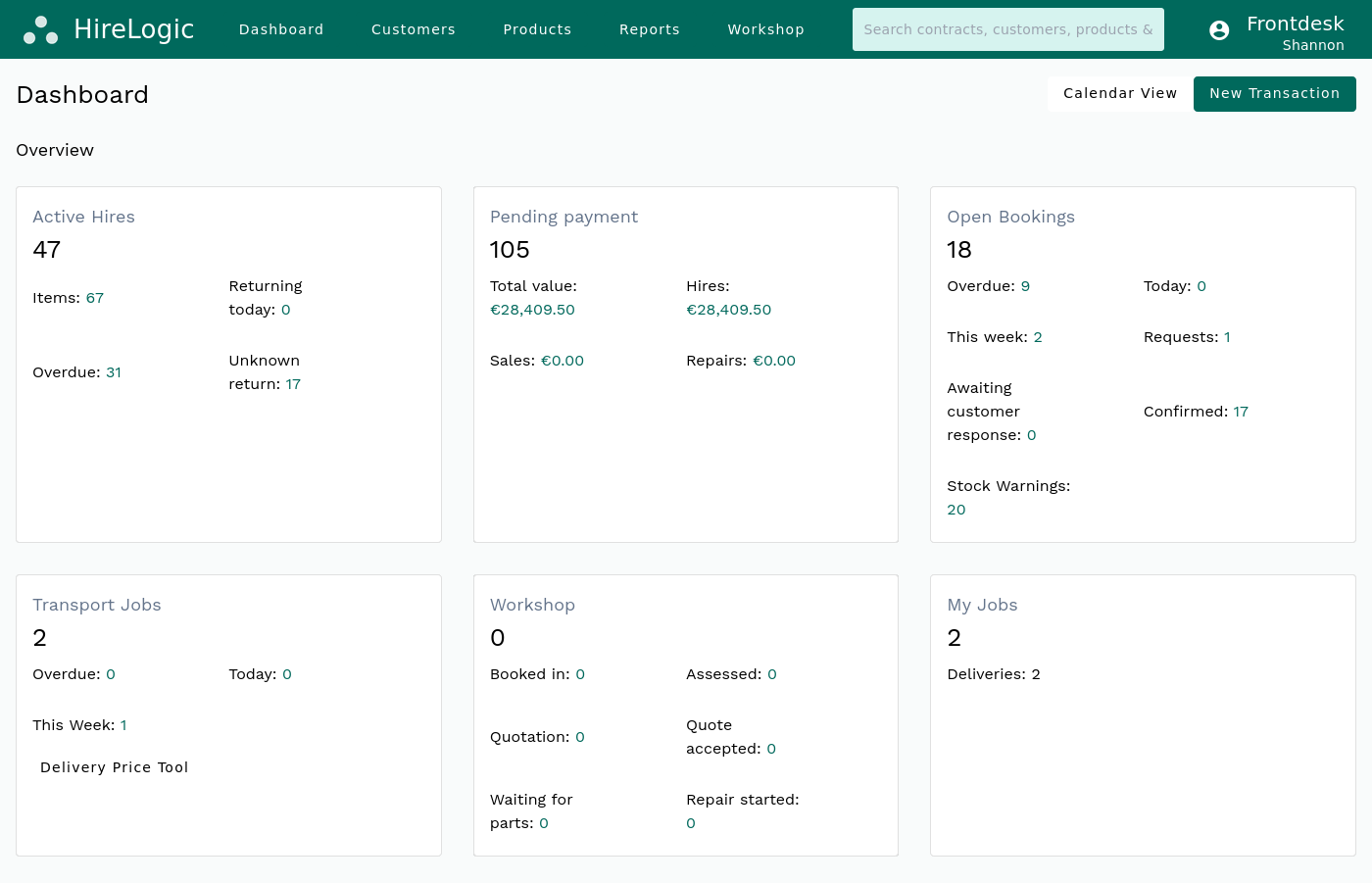
Each delivery or collection is a Transport Job with its due date and time, site, movement type, the items going out or coming back, and the driver it is assigned to. Confirmed bookings stay in the shared Bookings View, as a list or a day, week or month calendar, and count against stock for their dates.
- 5
Put it on hire, then off-hire
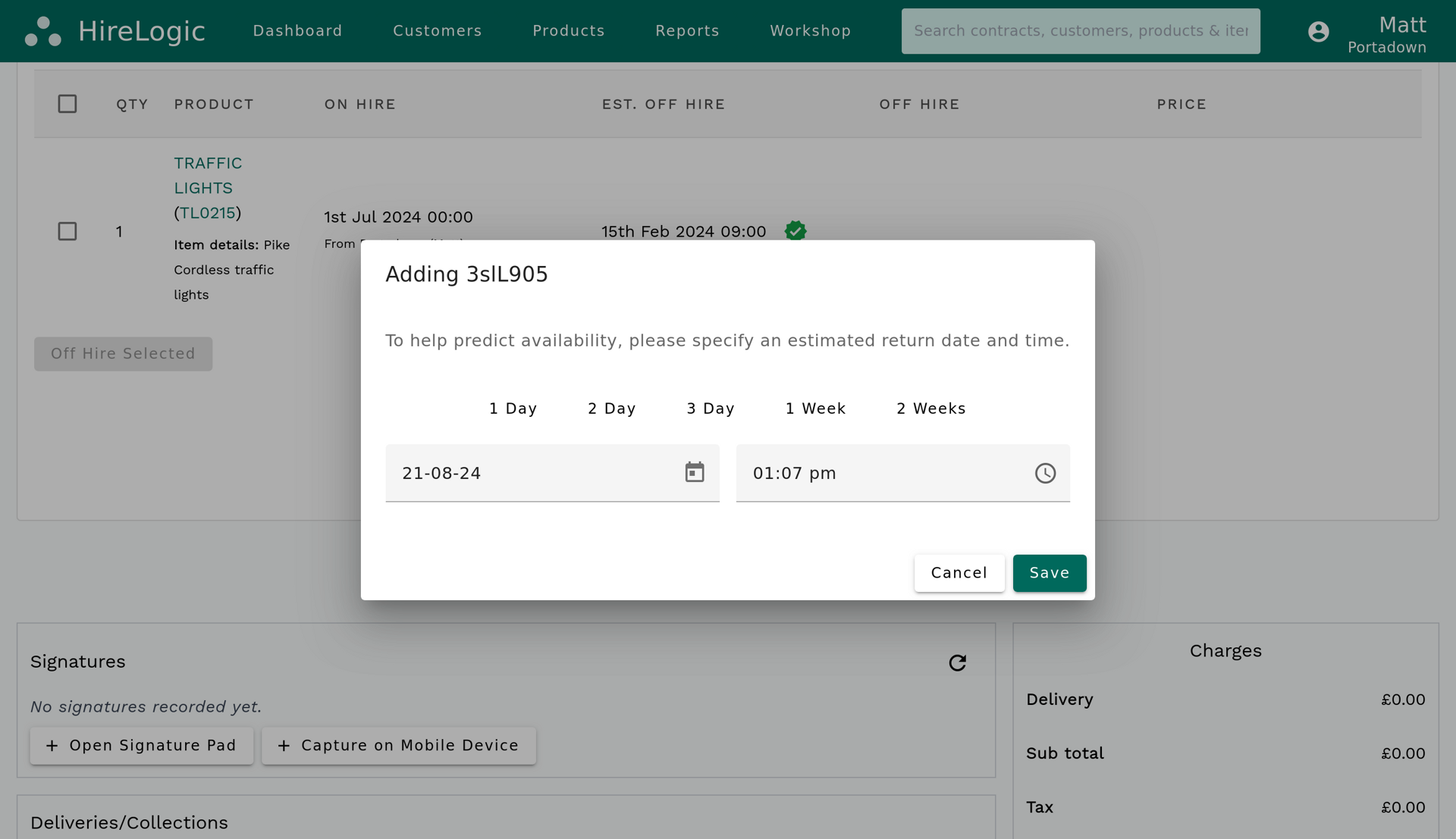
Once exact assets are allocated, use Convert to Hire Contract or complete the delivery. The customer, site, dates, rates, line items, assets, signatures and notes carry into the Hire Contract without rekeying, including the estimated off-hire date. When the equipment comes back, off-hire it against the contract and raise the invoice as the next step.
What the hire desk needs to know, and where to find it
The questions a hire desk answers all day, and the screen or record in HireLogic that answers each one.
Question at the hire desk
What's booked to go out this week?
Where HireLogic answers it
The Bookings View on the dashboard: a list by default, or a day, week or month calendar
Question at the hire desk
Have we got enough for these dates?
Where HireLogic answers it
The availability warning on the booking, raised when the hire period needs more than you have
Question at the hire desk
Which bookings are short of stock?
Where HireLogic answers it
Stock Warnings on the dashboard, which groups every booking that currently has an availability warning
Question at the hire desk
Has the customer accepted the quote?
Where HireLogic answers it
The booking status: Awaiting Customer Response after the quotation is sent, then Confirmed
Question at the hire desk
What has this customer got booked?
Where HireLogic answers it
The Bookings View on the Customer Profile, showing only that customer's bookings
Question at the hire desk
Which bookings include this product?
Where HireLogic answers it
The Bookings View on the Product Profile, showing only that product's bookings
Question at the hire desk
Who is delivering, and when?
Where HireLogic answers it
The Transport Job: due date and time, site, movement type, items and assigned driver
Question at the hire desk
When is it due off hire?
Where HireLogic answers it
The estimated off-hire date on the Hire Contract, carried across from the booking
Question at the hire desk
Where did a cancelled booking go?
Where HireLogic answers it
The archive: cancelling archives the booking and removes it from the active dashboard and calendar
| Question at the hire desk | Where HireLogic answers it |
|---|---|
| What's booked to go out this week? | The Bookings View on the dashboard: a list by default, or a day, week or month calendar |
| Have we got enough for these dates? | The availability warning on the booking, raised when the hire period needs more than you have |
| Which bookings are short of stock? | Stock Warnings on the dashboard, which groups every booking that currently has an availability warning |
| Has the customer accepted the quote? | The booking status: Awaiting Customer Response after the quotation is sent, then Confirmed |
| What has this customer got booked? | The Bookings View on the Customer Profile, showing only that customer's bookings |
| Which bookings include this product? | The Bookings View on the Product Profile, showing only that product's bookings |
| Who is delivering, and when? | The Transport Job: due date and time, site, movement type, items and assigned driver |
| When is it due off hire? | The estimated off-hire date on the Hire Contract, carried across from the booking |
| Where did a cancelled booking go? | The archive: cancelling archives the booking and removes it from the active dashboard and calendar |
Each view shows the latest bookings whenever it is opened or refreshed.
Bookings and stock in one record, not two
HireLogic is equipment hire software where the booking, the Hire Contract and the invoice stay linked from the first request onwards.
Bookings and stock share a single record, so there is no separate booking diary to keep in step with the stock list. Adding, extending or shortening a booking re-checks it against the same stock the rest of HireLogic uses.
The whole team works from the same bookings in a web browser on a desktop, tablet or phone.
Moving from a paper diary or a spreadsheet? Once usable data is supplied, a straightforward setup can be live in as little as two working days, and training for your team is included.
Frequently Asked Questions
What is an equipment booking system?
An equipment booking system records what a customer needs, for which dates and where it has to go, and checks those dates against your stock. In HireLogic each booking holds the customer, site, hire dates, rates and items, raises an availability warning when the dates clash with stock already committed, and becomes a Hire Contract once it is confirmed and exact assets are allocated.
What should equipment hire booking software do?
At the least: take bookings ahead of time, flag when a hire period clashes with stock, send quotations, and carry the booking into the hire contract without rekeying. HireLogic does all four, and adds Transport Jobs for deliveries and collections and an optional deposit request paid through Stripe.
Can we reserve a specific machine or item for a customer?
Yes. A booking can reserve equipment by category, by product and quantity, or as a specific serialised asset. If you reserve by product, the exact asset can be chosen later, up to dispatch or delivery, but it must be allocated before the booking becomes a Hire Contract.
Does a confirmed booking come off available stock?
Yes. Confirmed bookings count against availability for their dates, including bookings taken months ahead. A later booking for the same kit raises an availability warning if there isn't enough to go round.
Can HireLogic be used as an equipment scheduling tool or calendar?
Yes. The Bookings View lists upcoming bookings and switches to a day, week or month calendar. The same view sits on each customer and product profile, showing only that customer's or product's bookings, and everyone with access sees the same bookings each time the view is opened or refreshed.
Can customers book equipment hire online?
Yes, with the E-commerce Website Module, a paid add-on that is set up on your website. An online booking arrives as a Request. It doesn't check availability or hold stock, so your team reviews it, reserves the equipment, sends the quotation and confirms it in the usual way.
Is there an equipment booking app?
Bookings and scheduling run in HireLogic's responsive web app, in the browser on a desktop, tablet or phone. The native HireLogic mobile app covers item lookup and delivery jobs; it doesn't create or edit bookings.
Can we take a deposit when the booking is made?
Yes. A deposit can be requested before the booking becomes a Hire Contract. The customer pays through Stripe on a HireLogic-hosted payment page, and paying it can confirm the booking.
Do customers get booking emails?
Yes. Staff and customers get the relevant emails when a new Request arrives, when a quotation is sent and when a booking is confirmed.
What booking statuses does HireLogic use?
Three while a booking is active: Request, when a quotation is needed; Awaiting Customer Response, once the quotation is sent; and Confirmed, after the customer accepts, pays a requested deposit or your team confirms it. Cancelling a booking archives it and removes it from the active dashboard and calendar.
What happens at off-hire?
When the equipment comes back, off-hire it against its Hire Contract; the estimated off-hire date was carried across from the booking. The invoice is then raised from the Hire Contract, so the booking, the contract and the invoice stay linked.
See how HireLogic handles invoicing and payments.
How much does equipment booking software cost?
Bookings and scheduling are part of the HireLogic base package. Online booking through the E-commerce Website Module is an optional add-on with its own price and setup fee. Both are published on the pricing page.
Bring us a week from your hire desk
Pick a few real bookings: one taken weeks ahead, one that's short of stock, a delivery and a collection. In a demo we'll run them through HireLogic from Request to off-hire, then give you a straight answer on whether it fits how your desk works.
